

1. Open the part's Onshape file
You can find the link to the part's Onshape file on the part's page. For example, here's the Onshape file for the Joker canopy.
2. Sign in to Onshape, or create an account
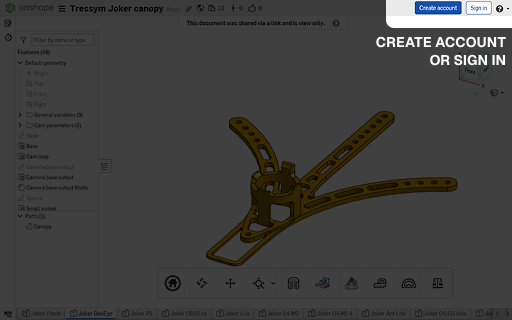
You will need an Onshape account if you don't have one already. It's free.
3. Make a copy of the file
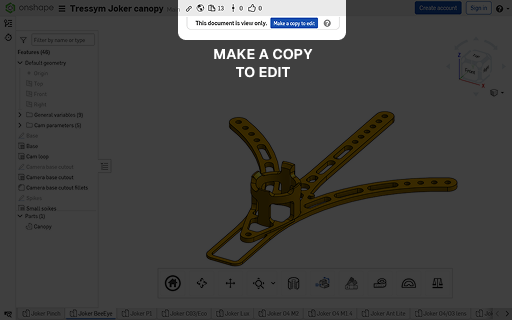
You can't edit these files directly, because that would be an absolute mess. Instead, create your own copy of the file.
4. Open the Variables panel and start fiddling with things
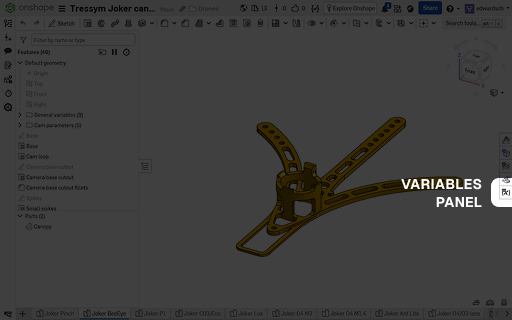
Opening the Variables panel on the right shows you all the variables used in the file. You can change these to modify the part's design.
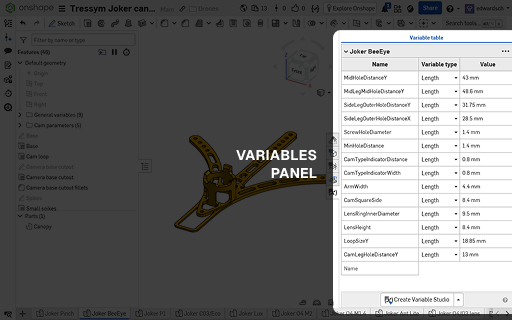
I tried to make each variable's name as descriptive as possible. For parts that are modified often, I might have a specific guide that explains what each variable does.
Keep in mind that it's entirely possible to break a design with a variable. Not all values are necessarily possible!
5. Go deeper
Most things you might want to change would probably be in variables, but sometimes it's necessary to change the design itself.
For these cases, you need to modify things in the Features panel on the left. It probably won't hurt to get some basic Onshape knowledge for this. Explaining Onshape is a bit outside of the scope of this guide, but you can find lots of good tutorials and guides for it online!
Any questions?
Ask around in the Tressym Discord, DM me, or send me an email!